
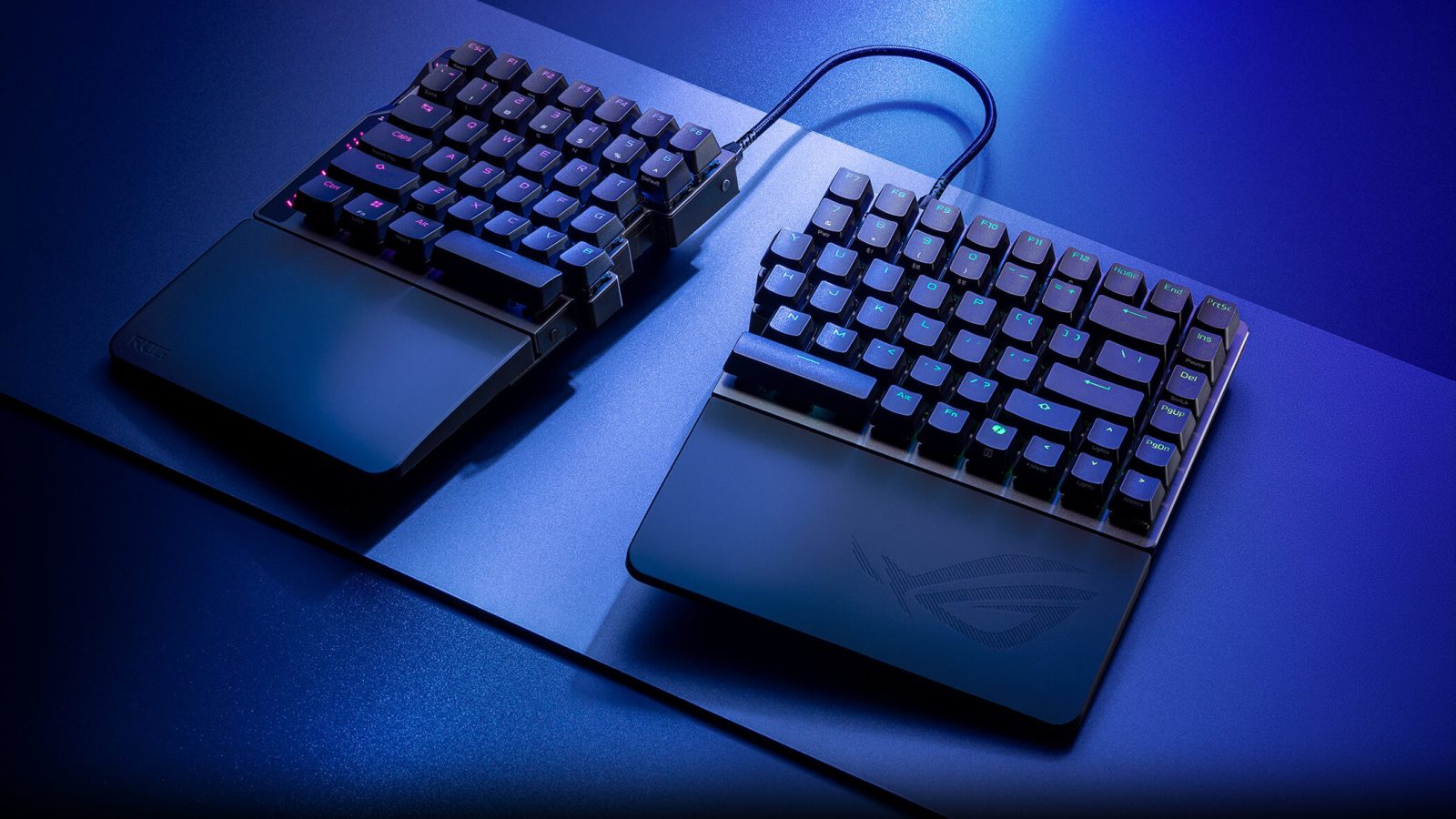
Split keyboards aren't exactly a new thing. I tried my first some 20+ years ago, but Asus ROG Falcata takes the idea a step further, as it's literally a keyboard that can be split in half, and not just angled in the middle as usual. This creates new options, but also new problems...
The first thing to notice is actually not the keyboard, but the wrist rest. It's attached with a metal plate that goes underneath the keyboard, left and right separately, and then you mount the wrist rest on it, where you need to screw the metal plate onto and off the keyboard. How about just using a strong magnet? It seems they have over-engineered a problem, and thus created a whole new one. I shouldn't need a manual to add a wrist rest to my keyboard, especially because if you detach it, the metal plates holding it is still visible and in your way on your desktop. That is not the main problem though. It's the fact that the wrist rest doesn't align your hands correctly, so while the split design allows for a great ergonomic shoulder position, that does not apply to your hands.
Then there is the keyboard itself. It's a 75% design, that's well done, with great build quality, and with a media wheel on the side instead of a knob in the upper right corner. There's even four layers of sound dampening because that has finally become industry standard. The wheel is used for a lot of adjustments as well, and it even has a light bar to show you how loud you have set the volume, or what sensitivity you have given your keys. I do however notice that the wheel is rather small, and if you have big fingers, it might be a problem.
The keyboard itself is, as Asus has ensured, made with high-end swappable magnetic switches, their own ROG HFX V2, which can be customised to actuation in 0.01mm steps, and yes, they work with Hall Effect sensors as do all modern high-end keyboards, and they are fantastic.
Web-based drivers are used to customise more and more things; Asus has their own called Gearlink. This is actually very clever as it's an internet link for your gear. However, I miss basic features such as the option of macro key setup, but I guess that is still just a matter of time. But to be fair, Asus has marked it as Beta, so improvement is to be expected.
At this price point, it's wireless (battery lasts around 200 hours depending on RGB levels), and yes you can use Bluetooth like a pleb, but if you want the SpeedNova 8K polling rate as Asus calls it, there's a caveat. The two halves of the keyboard - they are physically separate units, each with half a space bar - are connected to one another with USB. No, not a typo. This 350+ Euro keyboard that can do 8K wireless signalling to your computer has an interconnect system with a USB cable. And not a micro-short one, because you need to position it however you like, making it an eyesore on your desktop. If it can communicate with my PC via 8K wireless, why not the other half of the keyboard as well? It makes no sense to me. Oh, and while it's USB form factor, it very much looks proprietary internally to me, which is supported by Asus saying outright that other USB cables will not work. Great job, you just made the whole idea of USB cables redundant...
I'm not saying it's expensive, but the price differs by 200 Euro depending on retailer. The cheapest I could find was 360 Euro, which puts it in the "high-end" tier, and thus the expectations of the keyboard should be this high as well.
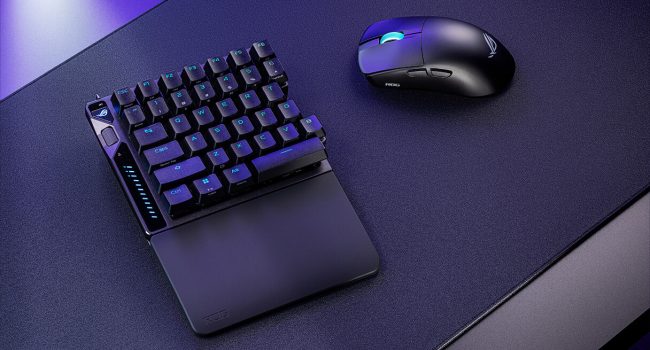
Still, Asus does deliver and the keyboard feels premium built, and the keys are amazing for both gaming and typing, plus the ability to customise each one surely helps as well. But I don't agree with the Rapid Trigger having a physical switch, especially when placed on the upper backside of the keyboard. It seems like an odd afterthought. Instead, I would have liked all keys to have Rapid Trigger functionality turned on by default instead of just WASD. For those in doubt, Rapid Trigger is a common phrase to describe switches that can be reactivated the second they are no longer pushed, and have started to travel back to their reset point, meaning that you can give counter-key presses before the first key has even reset by using what is known as "speed tap mode". You can even change what keys should be prioritised when two keys are pressed almost simultaneously, meaning that despite the first key not being fully reset, the keyboard will instead use the signal sent from the pressing of a second key.
The 75% form factor is something I am slowly getting used to, and have come to accept and actually like the much smaller footprint on my desktop. However, despite how much I like the ability to angle both parts and place them apart, the length of the USB cable makes it hard to just discard the right half when playing some games to use just the left, which would have been a lovely feature. And when used with some distance between them, it does feel like the inner part wasn't finished, however, it does provide some ergonomic options that no other high-end gaming keyboard can manage, and being Asus, the underside can offer small feet instead of stands for additional customisation.
Yet, the HFX V2 switches seem completely over the top, it has a completely walled stem, large magnets for the Hall Effect support, and a rather large bottom housing. There is compatibility for other keycaps but the standard that are pre-mounted by Asus are more than good enough for me. The switches are snappy, the feeling very tactile, and the reset immediate.
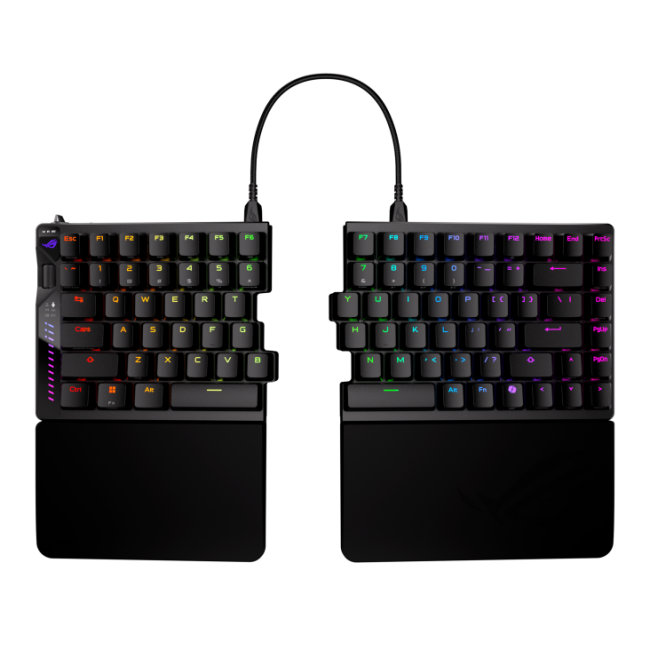
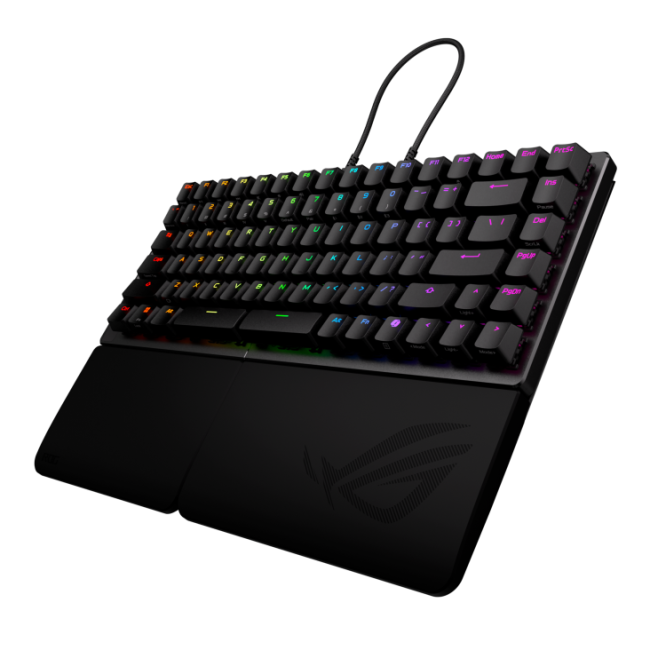
A wireless split keyboard for hardcore gaming is a great idea, but also in this instance there's a lot of things that could have been done better, especially at this price point. But the ability to position the keyboard entirely as you like, that's hard to beat and a very welcome feature.